Microsoft 365 is a SaaS (Software as a Service) platform delivered on the Microsoft cloud. It goes beyond the familiar Office applications such as Word, Excel, PowerPoint and Outlook, and brings identity management, security, device management, compliance and cloud-based collaboration services together under a single subscription. The desktop applications are now delivered as Microsoft 365 Apps for enterprise (formerly Office 365 ProPlus), while the email, file and collaboration capabilities are provided by the Exchange Online, SharePoint Online, OneDrive for Business and Microsoft Teams services. In this way, the platform covers not only the modern work tools but also the identity, security and management infrastructure that modern business needs, as one integrated whole.
The identity layer is at the centre of this integrated structure. All workloads in Microsoft 365 use Microsoft Entra ID (formerly Azure AD), the common identity provider, for authentication and authorisation. Authentication is based on modern authentication protocols such as OAuth 2.0 and OpenID Connect, and federation scenarios are based on standards such as SAML 2.0 and WS-Federation. As a result, capabilities such as Single Sign-On (SSO), Multi-Factor Authentication (MFA) and Conditional Access (Conditional Access requires a Microsoft Entra ID P1 licence) manage access from a central control plane.
In the collaboration and data layer, each service has a specific role. Exchange Online provides hosted email, calendar and contact management; SharePoint Online provides document management, intranet and content collaboration; and OneDrive for Business (technically per-user storage built on the SharePoint infrastructure) provides personal cloud storage. Microsoft Teams brings chat, meetings, calling and collaboration together in a single hub. It stores its files in SharePoint and OneDrive and its calendar and meeting data in Exchange Online, so it integrates directly with these services.
For security, compliance and device management, Microsoft 365 brings separate products together in a single management model. Microsoft Defender XDR (formerly Microsoft 365 Defender) correlates signals from Defender for Office 365, Defender for Endpoint, Defender for Identity and Defender for Cloud Apps, and provides threat prevention and response across the identity, endpoint, email and application layers. Microsoft Purview (formerly Microsoft 365 compliance / Microsoft Information Protection) manages governance capabilities such as data classification, sensitivity labels, Data Loss Prevention (DLP), retention policies, eDiscovery and the audit log. Microsoft Intune manages iOS, Android, Windows and macOS devices with central policies through cloud-based endpoint management (MDM and MAM).
This entire structure is built on a shared responsibility model. Microsoft operates the underlying data centres, the physical infrastructure and the service platform and guarantees their availability, while the organisation controls how the services are configured and how identities, data and access are managed. Because it is scalable and modular, Microsoft 365 fits different needs, from small businesses to large enterprises, and from educational institutions to non-profit organisations and public sector organisations. Plans for personal and family use are also available. Licences are assigned per user through Microsoft Entra ID, and each licence provides access to the extent of the service plans it contains. The services that can be accessed therefore depend entirely on the selected plan and the licence scope.
Business and Enterprise Editions of Microsoft 365
In the business and enterprise world, Microsoft 365 operates in a structure where responsibilities are divided between Microsoft and the organisation. Microsoft manages the infrastructure, but your organisation controls how the services are configured and used.
The following table summarises the core services provided in Microsoft 365:
|
Category |
Services |
Examples |
|
Office Applications |
Web and mobile versions |
Word, Excel, PowerPoint |
|
Email and Calendar |
Mail and scheduling |
Outlook, Exchange Online |
|
File Storage and Sharing |
Cloud-based storage |
OneDrive, SharePoint |
|
Teamwork and Communication |
Collaboration and engagement |
Microsoft Teams, SharePoint, Viva |
|
AI Assistance |
AI solutions that run on multi-LLM orchestration |
Microsoft 365 Copilot Chat, Microsoft 365 Copilot |
|
Security, Compliance and Identity Management |
Identity and security solutions |
Microsoft Entra ID, Microsoft Defender XDR, Purview |
|
Device Management |
Mobile device and endpoint management |
Microsoft Intune |
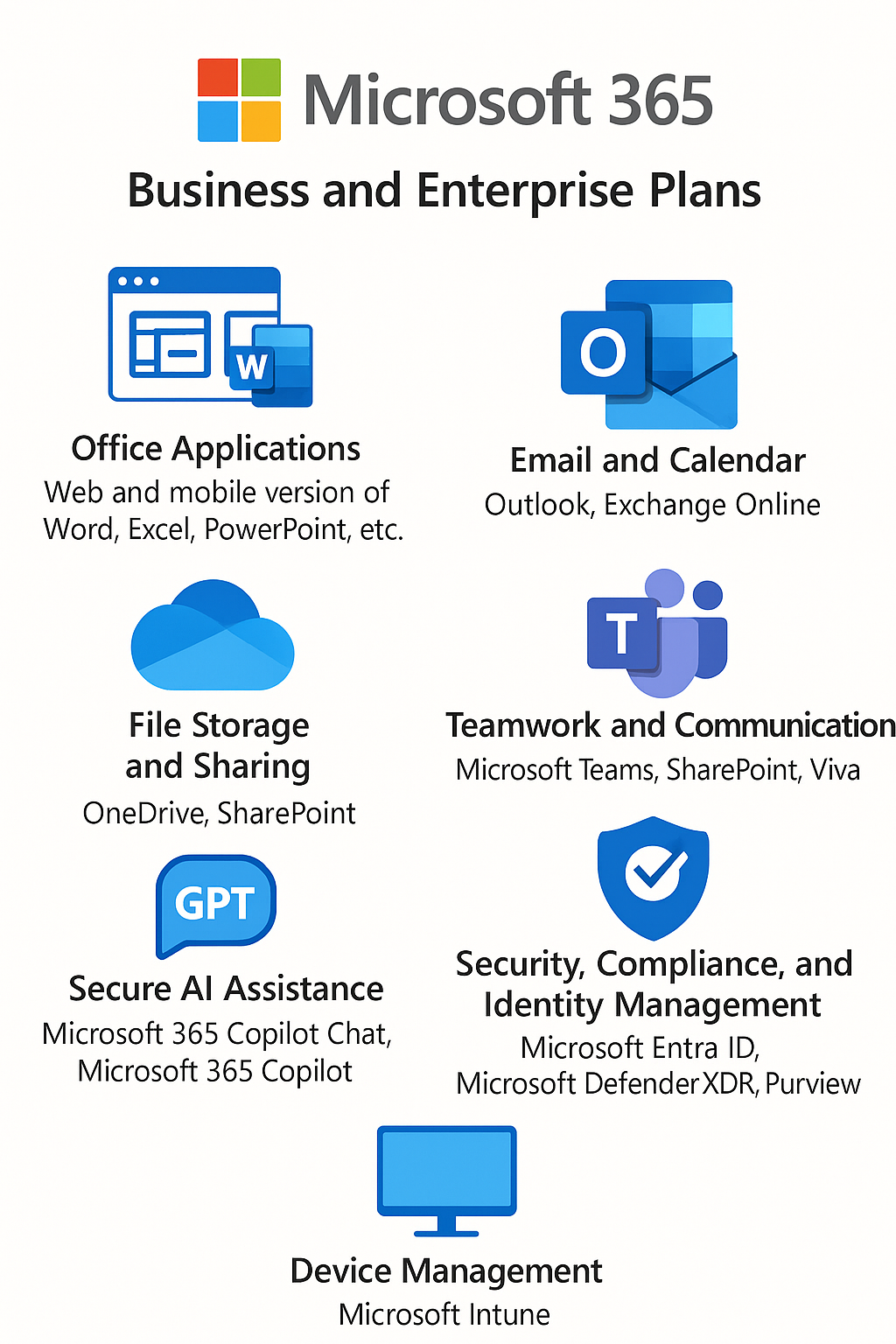
The services that you can access in Microsoft 365 are determined by your subscription plan and licence. The services offered can differ between plans. Some plans provide access only to the core applications, while others also include advanced security, device management, automation tools or AI-powered services. For this reason, when you choose a Microsoft 365 subscription, it is important to consider the features the organisation needs, scalability and long-term usage scenarios. Not every plan has the same features; availability depends entirely on the selected plan and the licence scope.
Uninterrupted Work Across Devices
Microsoft 365 is built on cloud integration so that users have the same working experience on different devices. Whether a desktop computer, a laptop or a mobile device is used, authentication, authorisation and data synchronisation take place automatically when the user signs in with a work account. Because files are stored in the cloud on OneDrive, the latest version of the documents being worked on is accessible from any device. A user can therefore start working on a document on the desktop and then open the same document on a tablet or phone and continue from the same point.
The technical components of this experience are clearly separated: the OneDrive sync client handles file synchronisation, and Microsoft Entra ID handles authentication and session continuity. Microsoft Graph is the data layer that exposes this data and the relationships within it through a single unified API endpoint. In other words, Graph is not the engine that physically synchronises the file. It makes documents, meetings, emails, calendars and the relationships between people programmatically accessible, which allows applications and services to provide a consistent, device-independent experience. As a result, when a user signs in on a different device, the relevant applications query Graph for the most recently used file or meeting context and present it quickly.
This structure is also supported by security layers. With Single Sign-On (SSO), the user signs in only once and the same authentication is valid on all devices. Multi Factor Authentication (MFA) integration increases security. During synchronisation, data is transferred over sessions encrypted with TLS (Transport Layer Security), so data integrity and confidentiality are protected when users change devices.
As a result, Microsoft 365 does not limit the device-independent working principle to file access. It also synchronises calendars, email, Teams meetings and workflow tasks, and provides an end-to-end modern work experience.
The Role of Microsoft Graph
Microsoft Graph works as a unified API endpoint that gives access to data and intelligence in the Microsoft 365 ecosystem. It gathers the data held in different products and services, and the relationships within that data, in a single programmatic interface. This provides the basis for producing meaningful insights from the data, improves the user experience and supports security scenarios.
Microsoft Graph is also a core component for Microsoft 365 Copilot. This AI (artificial intelligence) based solution runs on Large Language Models (LLMs), accesses your organisational data through Microsoft Graph and integrates with Microsoft 365 apps and services. It provides real-time suggestions and intelligent assistance, and so improves creativity, productivity and work skills.
LLMs (Large Language Models) are the engine that runs Microsoft 365 Copilot. They help Copilot understand your questions and produce useful, human-like responses. Copilot is not tied to a single fixed model. In the background it uses a dynamic model orchestration made up of OpenAI and Microsoft models. This model set changes over time (as of May 2026, models such as the GPT-5 family and GPT-4.1 are in use; the older GPT-4o model was gradually retired at the end of 2025).
Microsoft 365 Copilot (the full enterprise experience) requires a separate add-on licence in addition to an eligible Microsoft 365 subscription. Microsoft 365 Copilot Chat, a more accessible tier, can also be used without the add-on licence. On the consumer side, the Microsoft 365 Personal and Family plans have included a specific monthly Copilot quota in Word, Excel, Outlook and PowerPoint at no extra cost since mid-2025. The "separate licence" requirement therefore applies only to the full enterprise Microsoft 365 Copilot add-on.
The Evolution from Office 365 to Microsoft 365
Microsoft made Office 365 generally available on 28 June 2011 (about 15 years ago as of today) in order to deliver the well-known Office applications as a cloud-based service. This offering evolved from Business Productivity Online Suite (BPOS), Microsoft's earlier managed cloud service. BPOS brought together separately hosted products such as Exchange, SharePoint and Live Meeting (later Lync, then Skype for Business). Its goal was to unite the existing online products under a single service that always stays up to date.
Applications such as Word, Excel, PowerPoint, OneNote and Outlook were offered together with collaboration services such as Exchange, SharePoint and Skype for Business (named Lync at launch). Office 365 was first launched in 40 countries as a combination of Exchange Online, SharePoint Online and Lync. It became a broader experience that covered not only the Office applications but also services that improve communication and teamwork. The service focused on enterprise users at first, and over time it expanded with different editions to reach small and medium-sized businesses, individuals and students. New services such as OneDrive also joined the ecosystem during this period.
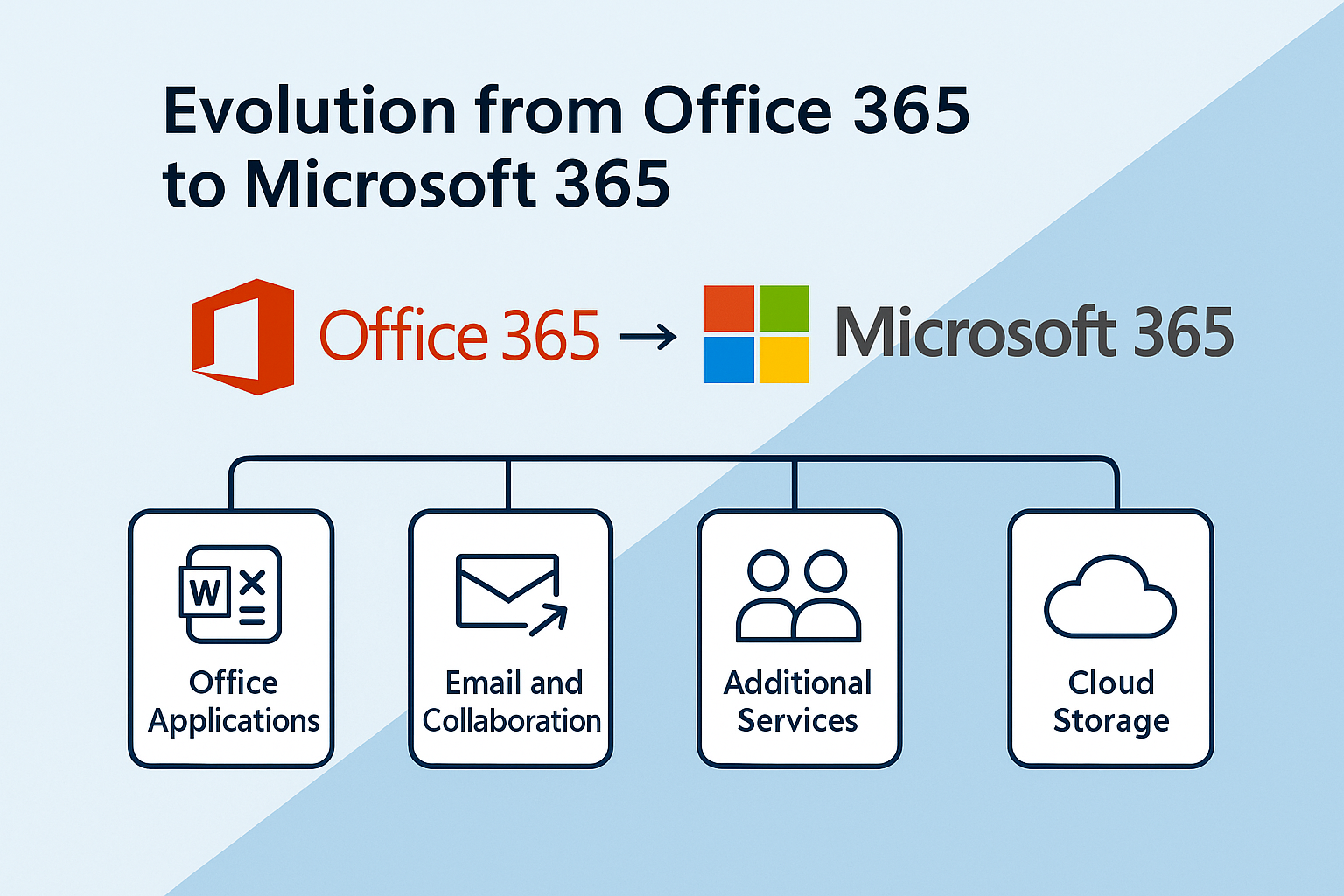
Today, Microsoft's cloud-based business solutions go far beyond what people traditionally know as Office. Microsoft 365 emerged as a result of this transformation. The "Microsoft 365" brand was first introduced for the enterprise suite in July 2017 (with the Microsoft 365 Enterprise suites, which combine Windows, Office and EMS under a single licence). On the consumer and SMB side, the Office 365 Personal/Home plans were renamed Microsoft 365 on 21 April 2020. The change from Office 365 to Microsoft 365 is more than a name change. It also reflects additional benefits alongside the core applications, such as device management, intelligent security and innovative online services. Microsoft 365 combined the modern work tools of Office 365 with a broader digital infrastructure and became a comprehensive platform that fits the modern world of work.
Differences Between Office 365 and Microsoft 365
Office 365 is a cloud-based service that covers core Office applications such as Word, Excel, PowerPoint, OneNote and Outlook, as well as collaboration and storage services such as Exchange, SharePoint, Teams and OneDrive. In addition to the modern work tools, it gives users integrated solutions for communication and file sharing.
Microsoft 365 includes all of the applications and services in Office 365, but it has a much broader scope. Enterprise-class plans in particular (for example Microsoft 365 E3/E5 and F1/F3) also include Windows operating system rights and the Enterprise Mobility + Security (EMS) solutions, which gives organisations a comprehensive infrastructure for security, identity management and device management. (This combination is not the same for every plan: Business Premium includes a subset of these capabilities, while Business Basic, Business Standard or apps-only plans do not include a Windows licence or the full EMS scope.) With this integrated structure, Microsoft 365 does more than provide applications and services. It also brings together the end-to-end management, security and flexibility that modern organisations need.
Microsoft 365 subscription plans serve a wide range of organisations, from small businesses to large enterprises, and from educational institutions to non-profit organisations and public sector organisations. Different options are also available for personal and family use.
Depending on your subscription, your existing Office 365 home or business plans change to Microsoft 365 automatically, and you do not need to take any action for this transition. Large organisations can continue to use the Office 365 plans, or they can choose the Microsoft 365 plans to benefit from advanced security, enterprise management and more comprehensive integration.
What Microsoft 365 Offers in a Hybrid Architecture
The way we work is changing fundamentally; when, where and how we work is now completely different. Employees want more freedom in choosing where they work, and organisations are moving to hybrid and flexible working models. For this new arrangement to be sustainable, both individuals and organisations need fluid, dynamic and cloud-based solutions. Microsoft 365 has been developed to meet exactly this need.
Hybrid work combines physical presence in the office with remote work. This allows employees to find a balance that suits their lives better. The flexible working model extends this approach and lets employees plan their office days and remote days according to their own preferences. This freedom provides a better balance between work and private life.
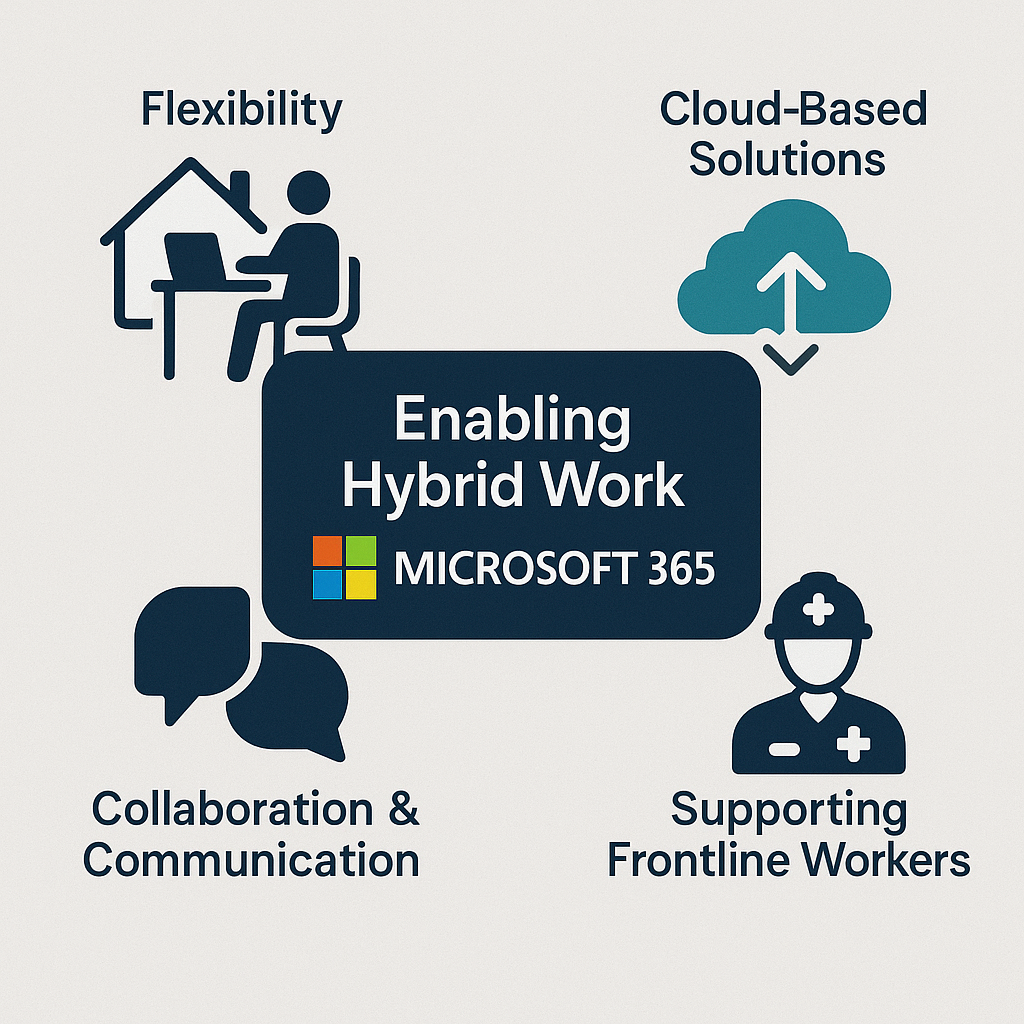
Because hybrid and flexible work affects everyone, organisations need to provide tools that cover the entire workforce. The aim is to make it easier for employees to adapt their daily work routines to this new model.
This scope must include not only the employees who work at a computer in the office but also the employees who work in the field or in direct contact with customers, known as frontline workers. A frontline worker is an employee who communicates directly with customers, provides products or services, or has an active role in production and distribution processes.
Retail sales staff, healthcare workers and emergency response teams are examples of this group. Supporting these people with the right technology not only makes their work easier but also allows them to communicate securely and without interruption with customers, their teams and the organisation.
Microsoft 365 was designed to support organisations in the era of hybrid and flexible work. With its cloud-first architecture, it gives employees digital tools with which they can stay connected, collaborate and work productively and securely. Whether in the office, working remotely or on the move, Microsoft 365 adapts to the different needs of your workforce.
☁️ Uninterrupted Connectivity
Microsoft 365 automates sign-in, data synchronisation and security controls when users work on different devices. The main components of this system are as follows:
✔ Data synchronisation is provided by services such as OneDrive, Exchange Online and SharePoint. Changes are synchronised from the device to the cloud, or in the opposite direction, in real time or with very low latency.
✔ Authentication and access control are handled by Microsoft Entra ID. As a result, session preservation, the enforcement of Multi Factor Authentication (MFA) policies and authorisation checks take effect when the user moves between devices.
✔ For network optimisation, the global service infrastructure of Microsoft 365 directs users to geographically suitable data centres, which minimises latency (connection delays) and data transfer time.
✔ For device management policies, devices are enrolled through Microsoft Intune and EMS (Enterprise Mobility + Security), and security settings such as encryption, update policies and device lock are applied per device.
✔ For optional identity synchronisation, if on-premises Active Directory is used, solutions such as Microsoft Entra Connect and Cloud Sync keep identity data synchronised with the cloud, so that information such as the user profile, group membership and authentication stays consistent across devices.
🔐 Security
Microsoft 365 treats security as a core component and provides protection not only at the application level but also at the identity, device and data layers. With Multi-Factor Authentication (MFA), user sessions are protected by additional verification steps. The Microsoft Defender services monitor continuously for threats and block malware and phishing attempts. Microsoft Purview information protection solutions classify and label sensitive data and encrypt it when required, which prevents data leaks.
In addition, corporate devices are managed with central policies through Microsoft Intune; encryption, compliance checks and security patches are applied automatically. With this structure, employees can focus on their work without weakening security, whether they are in the Microsoft 365 applications or on Windows devices.
⚙️ Central Management
Microsoft 365 makes central device management possible. Through Microsoft Intune, devices are enrolled, configured and assigned policies from the cloud. This allows security settings to be customised, application access to be controlled and corporate compliance requirements to be enforced at device level.
In the management layer, it is possible to monitor the device inventory in a single console, perform a Remote Wipe on lost or stolen devices, deploy operating system patches and install corporate applications securely. Device management across the organisation is therefore carried out with a model that is both flexible and secure; the governance workload decreases and it becomes easier to maintain standards.
🤝 Teamwork and Productivity
In working life today, it is very important for teams to work in harmony, share information quickly and manage processes without interruption. Microsoft 365 meets this need by providing many components, from communication to file sharing and from automation to planning, in a single ecosystem. Teams can therefore share a common experience and keep their productivity when they work together, whether they are in the same office or in different locations.
The main services that support this goal are as follows:
Each of these services focuses on a different need. They bring communication together in one place and also make corporate workflows more efficient in areas such as file sharing, process automation and planning. Teams therefore work in the same ecosystem without being spread across different tools, which saves time and improves the quality of collaboration.
✔ Microsoft Teams: Provides a central platform for online meetings, chat sessions and push-to-talk Walkie Talkie communication.
✔ SharePoint and OneDrive: Provide global access and real-time collaboration through cloud-based file storage.
✔ Power Platform tools (Power Automate, Power Apps, Power BI): Digitise business processes, automate tasks and increase operational efficiency.
✔ Planner, Lists and Bookings: Integrate with workforce systems to make time management easier and help operations run in a more orderly way.
⭐ Employee Experiences
Microsoft Viva is a platform centred on the employee experience. It helps organisations develop an inclusive culture and supports employee engagement, learning and professional development. The Viva modules strengthen communication, give employees a voice through feedback and surveys, integrate learning content into the flow of work and, with the Wellbeing features, help employees maintain their work-life balance.
It also gives all employees easy access to the resources they need, which increases productivity and provides a sustainable foundation for success.
This article covered the core components, the evolution and the scope of Microsoft 365 from several perspectives. It emphasised that Microsoft 365 goes beyond the Office applications and provides an integrated platform, with security, management, collaboration and AI-powered services delivered together. It showed clearly how services such as central identity management with Microsoft Entra ID, endpoint control with Microsoft Intune and threat prevention with the Microsoft Defender product family are brought together under a single subscription.
The article also explained the difference between Microsoft 365 and Office 365 in simple terms. The integration of the operating system, cloud-based security solutions and the Enterprise Mobility + Security (EMS) suite showed that Microsoft 365 has a broader area of use that is not limited to modern work tools. The article explained how AI features such as Copilot become a personalised experience through Microsoft Graph, and described the benefits this infrastructure provides in scenarios such as data access, task suggestions and content generation based on user behaviour.
The article explained with examples how the differences in content between subscription plans allow flexible solutions for a range of needs, from personal use to large enterprises. The modular structure of the platform lets users select only the services they need, while central policies keep management and security under control. When all of these components are considered together, it is clear that Microsoft 365 is not only an application suite but a comprehensive service ecosystem with which organisations can transform their digital infrastructure sustainably.
I hope you find it useful...
Feel free to share your thoughts and questions about this article in the comments below. Every contribution helps the content reach more people and makes for a more useful discussion.